

Mobile Manipulation Tasks#
These are tasks where a mobile manipulator is used to manipulate objects. This cateogry primarily uses robots with mobile bases like Fetch or Stretch robots.
For additional tasks, including scene-level mobile manipulation, please check out the external benchmarks/tasks page.
The document here has both a high-level overview/list of all tasks in a table as well as detailed task cards with video demonstrations after.
Task Table#
Table of all tasks/environments in this category. Task column is the environment ID, Preview is a thumbnail pair of the first and last frames of an example success demonstration. Max steps is the task’s default max episode steps, generally tuned for RL workflows.
Task |
Preview |
Dense Reward |
Success/Fail Conditions |
Demos |
Max Episode Steps |
|---|---|---|---|---|---|
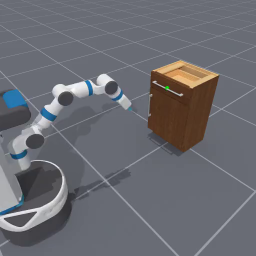 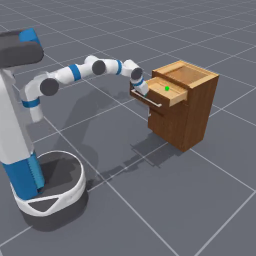 |
✅ |
✅ |
❌ |
100 |
|
| |
✅ |
✅ |
❌ |
100 |
|
❌ |
❌ |
❌ |
100 |
OpenCabinetDrawer-v1#



Task Card
Task Description: Use the Fetch mobile manipulation robot to move towards a target cabinet and open the target drawer out.
Randomizations:
Robot is randomly initialized 1.6 to 1.8 meters away from the cabinet and positioned to face it
Robot’s base orientation is randomized by -9 to 9 degrees
The cabinet selected to manipulate is randomly sampled from all PartnetMobility cabinets that have drawers
The drawer to open is randomly sampled from all drawers available to open
Success Conditions:
The drawer is open at least 90% of the way, and the angular/linear velocities of the drawer link are small
Goal Specification:
3D goal position centered at the center of mass of the handle mesh on the drawer to open (also visualized in human renders with a sphere).